
My Pool Control Panel
This blog post describes my PLC-based pool controller panel. It is a complete replacement of the existing electrical panel. I built this as a learning-experience project in Industrial Automation techniques. I have used a PLC and other DIN-rail mounted components such as contactors and circuit-breakers to achieve the same functionality as the existing panel. Furthermore because I am using a network-connected PLC, I can remotely control and monitor the status of my pool pump.
|
→ |
|
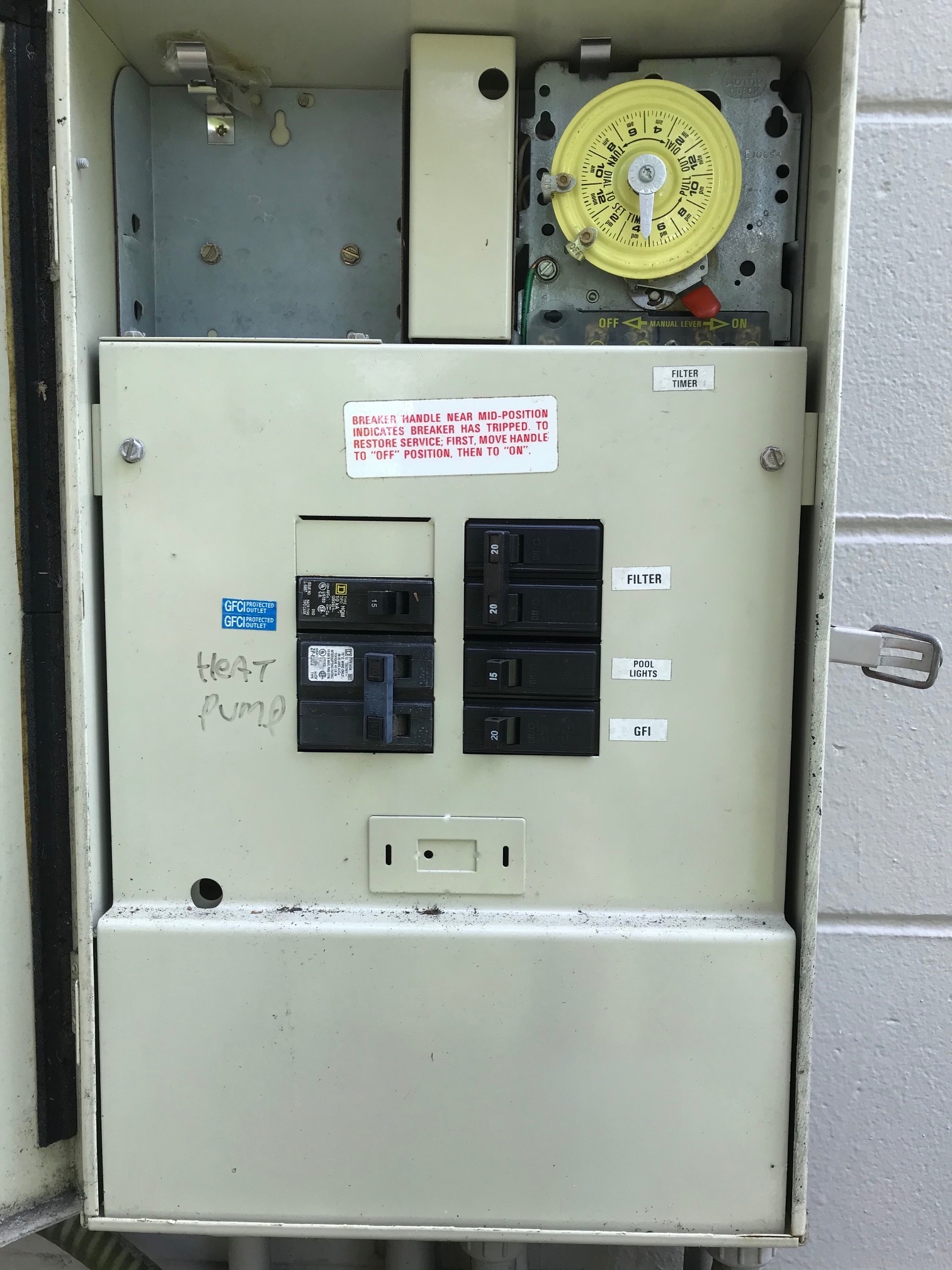
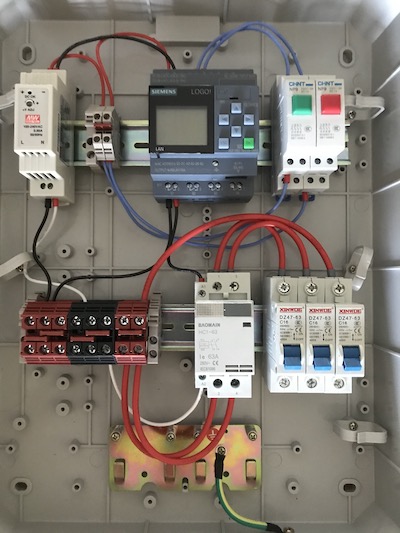
| Existing panel with mechanical timer | New PLC based control panel |
As you can see above, the new panel looks quite a bit different. But many of the components are the same. For example, the circuit-breakers for the pool pump (16A), heater (50A) and one for an electrical outlet (16A) mirror the old installation. Instead of a mechanical timer, I now use a PLC. The benefit of using a PLC (other than being just plain fun to learn to use) is that I can set a separate pump schedule for each day of the week. Because the PLC has an ethernet connection, I can add the control panel to my larger home automation network and turn pump on/off remotely. At some point in the future, I plan to add sensors to read pH and water temperature since the PLC already has inputs to handle these.
Bill of Materials
| Item | Qty | Price | Source |
|---|---|---|---|
| Siemens LOGO! 12/24 RCE | 1 | $70 | AliExpress |
| Altelix NEMA Enclosure 17x14x6 | 1 | $80 | Amazon |
| Mean Well DR-15-24 Power Supply, 24 Volt, 0.63 Amp | 1 | $13 | Amazon |
| Baomain AC Contactor HC1-63 110V 63A 2 Pole | 1 | $17 | Amazon |
| uxcell 1 Pole 50A 230/400V Miniature Circuit Breaker | 1 | $9 | Amazon |
| uxcell 1 Pole 16A 230/400V Miniature Circuit Breaker | 2 | $9 | Amazon |
| DIN Rail Terminal Blocks, 6-20 AWG, 60 Amp | 1 | $30 | Amazon |
| CHINT NP9 push button switch card DIN rail button (red & green) | 2 | $5 | AliExpress |
| 12 Gauge Silicone wire 10 ft red and 10 ft black | 1 | $11 | Amazon |
| Ferrule Crimping Tool Kit | 1 | $26 | Amazon |
| DIN Rail 250mm35mm7.5mm Steel (10-Pak) | 1 | $14 | eBay |
| ~$300 |
Programming
Although Ladder Logic is the most common way to program in the automation world, I used Function Block Diagram (FBD) just because there seems to be more support online for this method of programming for the Siemens LOGO!
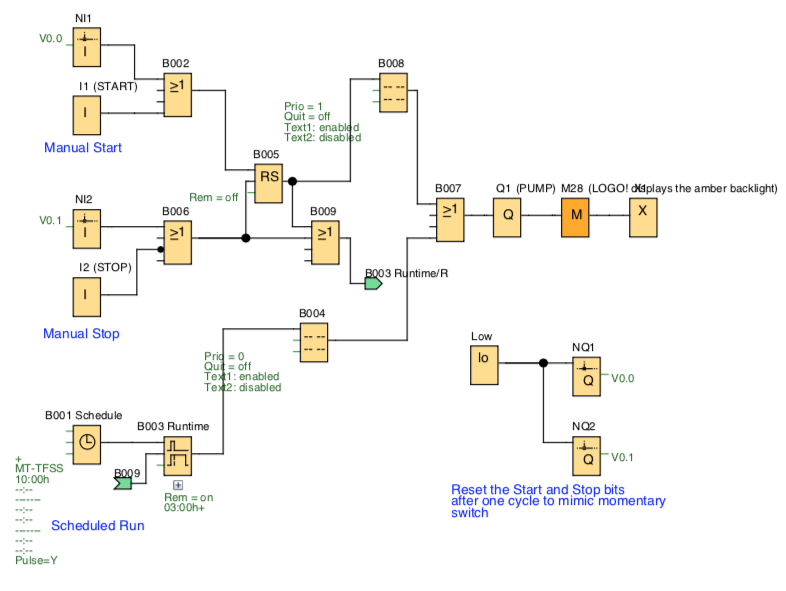
- Download the program (open using LOGO! Soft Comfort)
- PDF Version – for viewing if you don’t have LOGO software