Indash PC
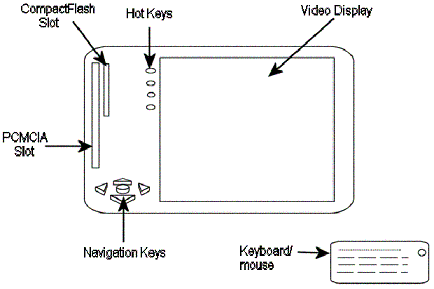
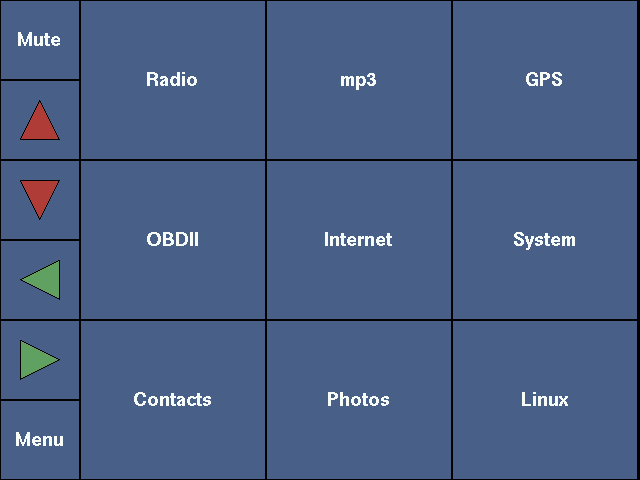
This page describes my efforts for constructing a highly integrated indash computer system for my car. The basic idea behind this is to have a low-power, solid-state computer in the double-DIN stereo slot with an LCD display that can play mp3s, radio, show GPS maps and perform OBD Diagnostics with minimal user intervention.
See the design notes for why I took this on and how I picked the platform, and the progress log for how it unfolded.
Hardware
The Computer
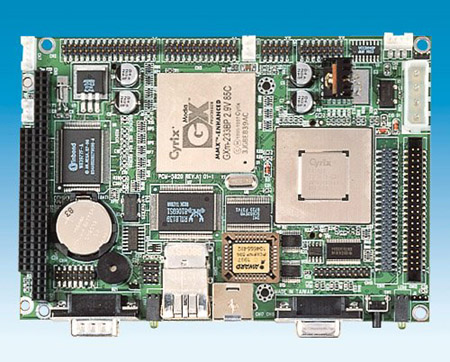
PCM-5820 is a low-power, pentium level, single board computer from Advantech. It is adequate for running a light version of linux and playing mp3s. It has built-in video, ethernet, serial ports, parallel port, USB and sound. The system runs on a single 5V supply and consumes about 8 watts typically. I attach a CompactFlash to the IDE connector for storage. This ensures that the system is solid-state (no hard disk).
Power Supply
The power supply is based on National Semiconductor’s linear regulator — LM1084. Input voltage is in the range 6.4V to 20V and output, a steady 5V (or so it is hoped).
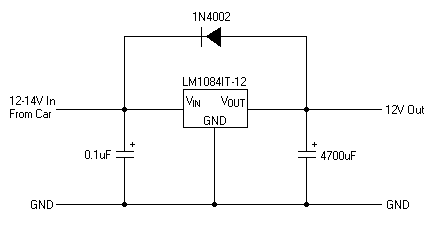
The diagram above is for a 12V design, but the 5V version is identical, just a different chip.
Audio Amplifier
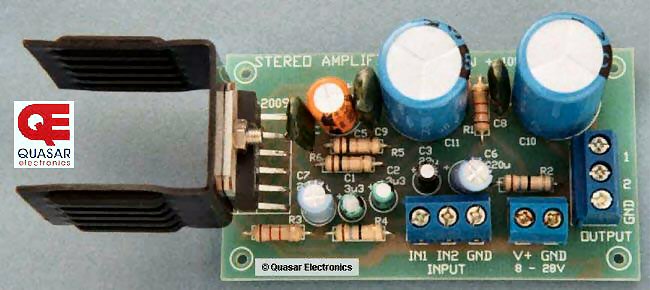
The output from the computer board is pretty low power. In order to power car speakers, I need to amplify the audio using the 10W + 10W amplifier shown below. It is available for purchase from Quasar Electronics.
Radio
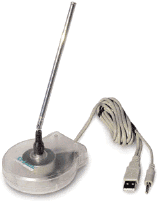
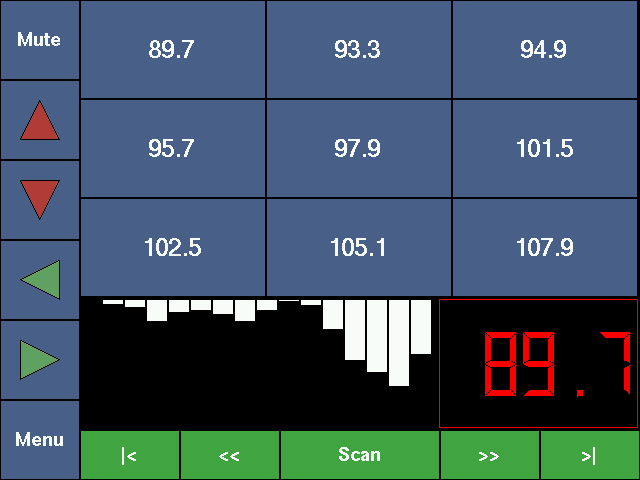
The radio used for this project is an off-the-shelf USB radio from D-Link. The USB link is used for controlling the radio frequency. The audio out from the radio is connected to the audio-in on the computer board. Simple enough? Linux kernel comes with a driver to control this radio (lucky me!)
Keypad
The parallel port will be used to monitor the state of five navigation keys. There is a simple parallel port programming library called parapin for doing this. Hardware interface diagram coming soon…
LCD
I am still searching for an appropriate 320x240 TFT LCD to interface with Advantech’s PCM-5820. Another hurdle is setting Linux FrameBuffer to that resolution.
One candidate is Sharp’s LQ050Q5DR01 — a 5-inch active matrix module with exactly the 320x240 resolution I am after (76,800 pixels, 262,144 colors) in a 119.4 x 89.1 x 12.7 mm outline, which is small enough to sit in a double-DIN opening. Datasheet (PDF, 21 pages — Sharp spec LCY-02002, January 2002).
Software
There are two different components that I will develop for this project.
- GPS Mapping and Routing — called TMRS
- OBD2 Interface — software for talking with BR3 and fetching OBDII codes.
Apart from the above two, the main user interface for the system will be designed with the use of DirectFB library. X-Windows is simply too bloated for an embedded system and introduces too many dependencies.
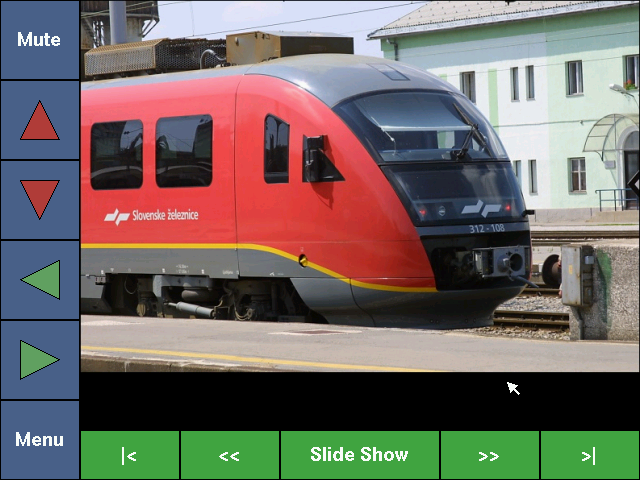
The interface is built around big, unmissable targets — the driver should never have to hunt for a button. Five navigation keys and a menu key run everything.
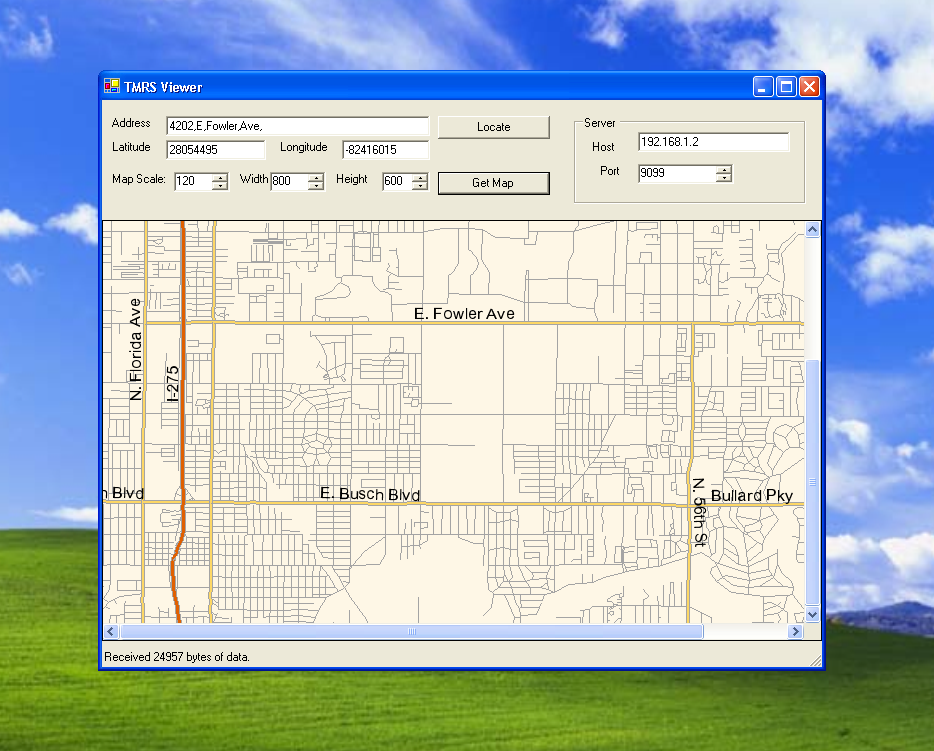
TMRS runs as a server, so it can be exercised from anything that speaks to it over the network. This quick and dirty C# viewer asks the server for a map by address or by latitude/longitude and draws what comes back.
Video
The prototype running in the car.
Pictures
More photos of the build are in the Indash PC gallery.